Introduction
Geograph Images is a browser script that adds nearby Geograph images to geocaching.com cache pages. It works with Firefox, Google Chrome and Opera.Geograph is a project that aims to collect geographically representative photographs and information for every square kilometre of the country. There are currently three Geograph websites covering Britain and Ireland, the Channel Islands and Germany.
Operation
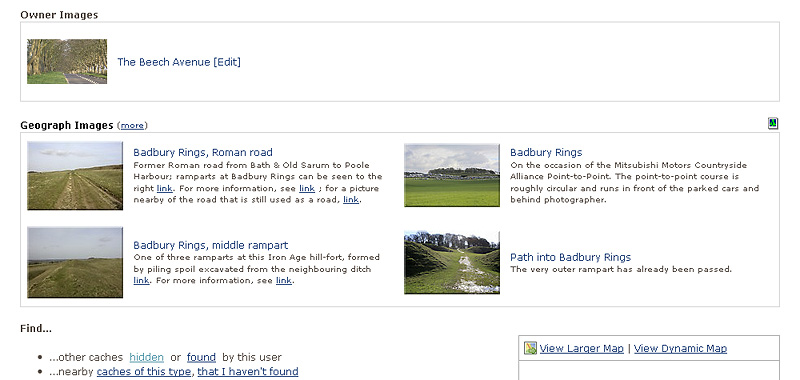
If nearby Geograph images are available a new Geograph Images section is added to the cache page. By default a single row of the nearest two images is shown. More images can be shown by clicking on the (more) link. Each click will add another row until all the available images are shown or a maximum of 30 is reached.Clicking an image will pop-up the full size image in the existing 'lightbox' feature. Clicking the sides of this full size image will allow you to move between all the Geograph images currently shown. Additionally if you also have the Geothumbs script installed you will be able to seamlessly move between all the Geograph images, cache owner images and log images on the cache page.
Clicking the text description next to the image thumbnail will bypass the 'lightbox' and open the Geograph page for this image.
The Geograph website home page can be accessed by either clicking the Geograph Images header or the graphical icon at the top right of the image table.
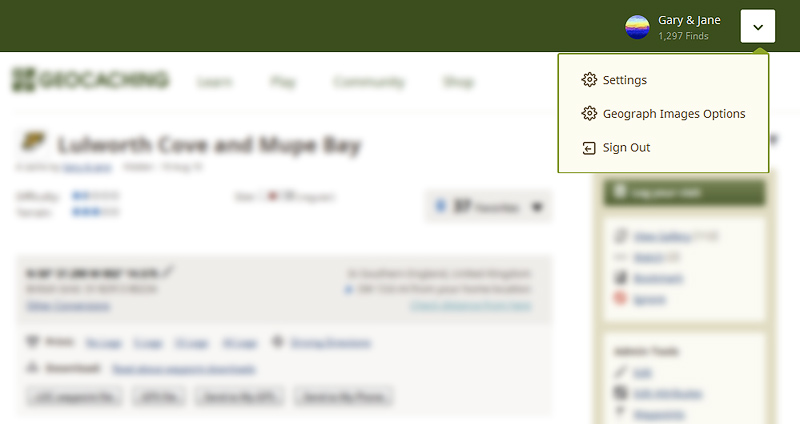
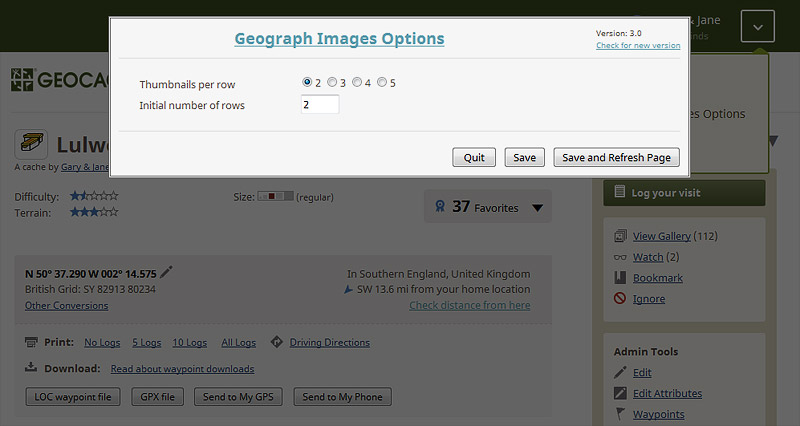
Geograph Images can be configured to your preferred operation by selecting 'Geograph Images Options' in the drop-down menu box
shown to the right of your user name at the top of each cache page.
You will be automatically notified whenever an update to the script becomes available.
Acknowledgments
Many thanks to Barry Hunter at Geograph Britain and Ireland for his help and permission to access the Geograph data.
 Firefox installation:

 Google Chrome installation:
 Opera installation:
This script has been tested to work with:
- Firefox 36.0.4 with Greasemonkey 3.1
It should also work with:
- Google Chrome with Tampermonkey
- Opera with Tampermonkey
Version History:
v3.0
v2.9
v2.8
Added work around for bug in Google Chrome. Google Chrome now supported again!
v2.7
Google Chrome not supported due to bug in Chrome 28.0 and 29.0.
v2.6
v2.5
Options are now accessed via a new 'Options' menu at the top of each cache page
v2.4
Options now accessed via cache page Resources menu
For support please contact us via our geocaching profile - Gary & Jane